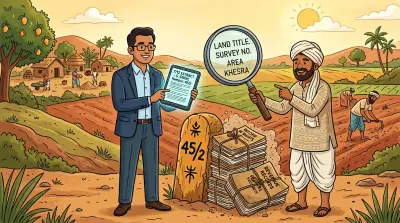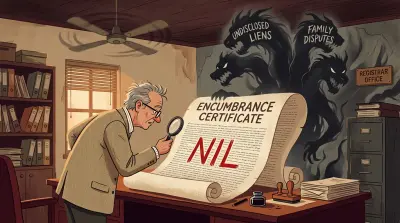


India has 28 states and 8 union territories. Every one of them runs its own land records system. The portal name, the document name, the survey identifier, and the steps to pull a record differ in each. A family with property in two states is navigating two parallel systems. An NRI with inherited land across three states is dealing with three.
This guide is the operational lookup. For each of the twelve states where most NRIs and remote owners hold property, it covers the portal, the URL, what you can pull from abroad, the steps, and the limitations. A comparison table at the end lets you scan across portals on the dimensions that matter.
For the conceptual background on what land revenue records are and why they matter, read our explainer on 7/12, RTC, Pahani, and Jamabandi. This post is the index of where to actually go.
The Two-Portal Pattern
Most Indian states split land information across two separate portals, run by two separate departments.
The revenue department maintains land records: who holds which parcel, the survey number, the extent, the classification, and the mutation history. The portal carries names like Bhulekh, Bhoomi, Anyror, Meebhoomi, or Jamabandi. To see the mapped boundaries behind a survey number, you also need its field measurement sketch: the FMB sketch and LP number guide explains how to read one.
The registration department maintains deed records: every sale deed, gift deed, mortgage, and lease registered against the property, along with the encumbrance certificate that lists them. The portal usually carries the state’s IGRS branding (Inspector General of Registration and Stamps), and the URL pattern is often registration.{state}.gov.in.
These two systems do not always sync. You can be the registered owner of a property whose revenue record still shows the previous owner. Pulling both is the only way to see the full picture.
A handful of states have moved closer to integration. Telangana’s Bhu Bharati auto-triggers mutation on registration for agricultural land (open plots and flats in GHMC and HMDA limits still need a separate mutation step). Andhra Pradesh’s system does the same for purchase transactions. Most states still run the two separately.
State-by-State Portal Directory
Telangana: Bhu Bharati and IGRS Telangana
Portals: Bhu Bharati at bhubharati.telangana.gov.in (revenue) and IGRS Telangana at registration.telangana.gov.in (registration, EC, market value).
What you can check:
- Pahani (the village record showing crop, classification, and pattadar)
- 1B / Record of Rights with current ownership and mutation history
- e-Pattadar Passbook consolidating all landholdings under one pattadar
- EC, certified deed copies, and SRO appointments via IGRS Telangana
Steps: Pick the service, choose district, mandal, and village, enter the survey number or Khata number, complete OTP, view or download. If you have an address but not a survey number, our guide to checking a property owner’s name in Telangana covers the routes that work in reverse.
Limitation: Most services require OTP to an Indian mobile. Telangana launched Bhu Bharati on 14 April 2025 and completed the statewide rollout by mid-2025, retiring the old Dharani portal. For the background, see our Dharani to Bhu Bharati explainer.
Andhra Pradesh: Meebhoomi and IGRS AP
Portals: Meebhoomi at meebhoomi.ap.gov.in (revenue) and IGRS AP at registration.ap.gov.in (registration, EC, Section 22A prohibited list).
What you can check:
- Adangal / Pahani for any survey number
- 1B (Record of Rights), the legal ownership record
- e-Passbook download
- EC, Section 22A prohibited list, and market value certificate via IGRS AP
Steps: District, mandal, village, and survey number on Meebhoomi for revenue records. EC search on IGRS AP by document number, year, and SRO.
Limitation: OTP to an Indian mobile is needed for e-Passbook. The Section 22A list still contains historical errors, so verify your survey number is not wrongly included before any sale. AP splits ownership and cultivation across two records: our Adangal vs ROR 1-B guide explains which Meebhoomi button gives you which.
Maharashtra: Mahabhulekh and IGR Maharashtra
Portals: Mahabhulekh at bhulekh.mahabhumi.gov.in (7/12, 8A, urban property cards) and IGR Maharashtra at igrmaharashtra.gov.in (registration, EC, e-search).
What you can check:
- 7/12 extract (Satbara Utara), the cornerstone Maharashtra revenue record
- 8A extract (holder’s account across survey numbers)
- Property card for urban land
- EC and registered deed indices via IGR Maharashtra’s e-search
Steps: Choose region, district, taluka, village, and the survey or gat number. Unsigned 7/12 is free. Digitally signed copies via the Digital Sevak option (chargeable, Aadhaar OTP required).
Limitation: Property card terminology in Mumbai differs from the rural 7/12. Get the right form for urban land. Signed copy issuance can lag if Aadhaar OTP routing fails.
Gujarat: Anyror, iORA, and GARVI
Portals: Anyror at anyror.gujarat.gov.in (view layer for VF 7/12, VF 8A, VF 6, City Survey cards), iORA at iora.gujarat.gov.in (digitally signed copies, NA conversion, mutation), and GARVI at garvi.gujarat.gov.in (registration and EC).
What you can check:
- VF 7/12, VF 8A, VF 6 (mutation register) on Anyror
- City Survey property card for urban land
- Digitally signed 7/12 and NA application status on iORA
- EC and registered deed search on GARVI
Steps: No login on Anyror. Pick district, taluka, village, and survey number, complete the captcha, view. iORA requires Aadhaar-linked registration.
Limitation: Unsigned Anyror copies are free but not legally admissible. For anything you hand to a bank or buyer, pull the signed version. See our Gujarat NRI guide for NA conversion and Section 63 details.
Delhi: DORIS, NGDRS Delhi, and Revenue Department
Portals: DORIS at doris.delhigovt.nic.in (older registered deeds, certified copies, circle rate), NGDRS Delhi at ngdrs.delhi.gov.in for new registrations (live across all 22 Sub-Registrar offices since January 2025), and the Revenue Department at revenue.delhi.gov.in (Khasra-Khatauni for revenue villages).
What you can check:
- Older registered deeds by party name, locality, or document number on DORIS
- New registrations (post-January 2025) and slot booking on NGDRS Delhi
- Khasra-Khatauni and mutation status for revenue villages
- Circle rate notifications
Steps: Search by year and locality on DORIS for older deeds. NGDRS appointments use mobile-OTP login. Revenue village extracts via the Tehsil-level menu on the Revenue portal.
Limitation: Delhi’s split between freehold, DDA leasehold, Lal Dora, and unauthorised colonies means the right portal depends on the property type. DDA allotments sit on dda.gov.in.
Karnataka: Bhoomi and Kaveri 2.0
Portals: Bhoomi at landrecords.karnataka.gov.in (revenue records) and Kaveri 2.0 at kaverionline.karnataka.gov.in (registration and EC).
What you can check:
- RTC (Record of Rights, Tenancy, and Crops), Karnataka’s primary revenue record
- Mutation extracts and the Mutation Register (MR)
- Tippani and Akarband (cadastral survey details)
- EC, certified deed copies, and online registration slots on Kaveri 2.0
Steps: District, taluk, hobli, village, and survey number on Bhoomi. EC on Kaveri 2.0 by survey number and search period (30 years recommended for due diligence).
Limitation: Bengaluru urban property partly sits under BBMP’s khata system rather than the rural RTC. Check the right register based on whether the land is rural or urban-converted. For the full remote-owner workflow, including A-Khata versus B-Khata and DC conversion, see Managing Property in Karnataka: A Guide for NRIs.
Tamil Nadu: eServices TN and TNREGINET
Portals: eServices TN at eservices.tn.gov.in (Patta, Chitta, A-Register, FMB sketch, poramboke verification) and TNREGINET at tnreginet.gov.in (EC, guideline value, registration).
What you can check:
- Patta extract for rural land or TSLR extract for urban land
- A-Register, Chitta, and FMB sketch
- Poramboke verification, essential before any rural purchase
- Free EC search on TNREGINET for any period
Steps: District, taluk, village, and survey number on eServices. EC on TNREGINET by SRO and survey number. Both available without login.
Limitation: Patta is not a title document. Always pair with the registered sale deed chain. TNREGINET’s free 30-year EC search without login is among the most usable in the country, which is a useful budget detail.
Kerala: Ente Bhoomi and PEARL
Portals: Ente Bhoomi at entebhoomi.kerala.gov.in (revenue records and digital resurvey data) and PEARL at pearl.registration.kerala.gov.in (EC, certified copies).
What you can check:
- Thandaper (Kerala’s basic tax register linking property to owner)
- Pattayam (the original Kerala title issued by the state)
- Digital Survey village maps as the resurvey rolls out across districts
- EC and certified deed copies on PEARL
Steps: District, taluk, village, and survey number on Ente Bhoomi. PEARL accepts EC requests by survey or document details and supports Malayalam and English.
Limitation: The Digital Survey is updating boundaries across Kerala. Older Pattayam records may not match new resurvey maps, so verify both.
Punjab: Jamabandi Punjab
Portal: Jamabandi Punjab at jamabandi.punjab.gov.in. Registration sits on the same domain via PLRS-linked Sub-Registrar modules.
What you can check:
- Fard / Jamabandi, Punjab’s record of rights
- Mutation status (Intkaal)
- Roznamcha entries, the daily revenue register
- Registered deed search and Nakal (certified copy)
Steps: District, tehsil, village, and Khasra number or owner name. Fard download is free.
Limitation: Punjab and Haryana run separate but similarly named Jamabandi portals. Confirm you are on the correct state portal before searching.
Uttar Pradesh: UP Bhulekh and IGRSUP
Portals: UP Bhulekh at upbhulekh.gov.in (Khasra, Khatauni) and IGRSUP at igrsup.gov.in (EC, registration, certified copies). Noida and Greater Noida property additionally need checks on the Authority portals.
What you can check:
- Khasra and Khatauni for any UP parcel
- Bhulekh map (Gata wise)
- EC, deed search, and slot booking on IGRSUP
- Property tax via the respective municipal portal
Steps: District, tehsil, village, and Khata or Gata number on UP Bhulekh. IGRSUP requires registered login for EC.
Limitation: Mutation in UP is historically slow and prone to disputes. Cross-check Khatauni with the latest IGRSUP-registered deed before buying.
Rajasthan: Apna Khata
Portal: Apna Khata at apnakhata.rajasthan.gov.in. Registration sits on epanjiyan.rajasthan.gov.in.
What you can check:
- Jamabandi, Khasra, and Khatauni nakal
- Bhu Naksha (land map)
- Mutation (Namantaran) status
Steps: District, tehsil, village, and Khata, Khasra, or owner name. Unsigned copy is free. Signed copy chargeable.
Limitation: Older revenue records in interior Rajasthan still trace to handwritten registers, and data accuracy varies by tehsil. For high-value transactions, request a manual verification from the patwari.
Haryana: Jamabandi Haryana
Portal: Jamabandi Haryana at jamabandi.nic.in. Registration uses HARIS through Sub-Registrar offices, with the citizen-facing deed registration and appointment portal at eregistration.revenueharyana.gov.in. Property tax sits on the local urban body portals.
What you can check:
- Fard / Jamabandi
- Mutation status
- Roznamcha
- Registered deed search through the HARIS module
Steps: District, tehsil, village, and Khewat, Khatauni, or Khasra number.
Limitation: Haryana has seen documented patwari fraud cases (see the Sonipat case study) where Jamabandi entries were manipulated locally. Cross-check the digital Fard with the original handwritten register if anything looks off.
Comparison Table
| State | Revenue portal | Registration portal | Free EC (no login) | OTP needed | Signed copy online |
|---|---|---|---|---|---|
| Telangana | Bhu Bharati | IGRS Telangana | No | Yes | Yes |
| Andhra Pradesh | Meebhoomi | IGRS AP | No | Yes (e-Passbook) | Yes |
| Maharashtra | Mahabhulekh | IGR Maharashtra | No | Yes (signed copy) | Yes |
| Gujarat | Anyror | GARVI / iORA | No | Yes (signed copy) | Yes |
| Delhi | Revenue Department | DORIS / NGDRS | No | Yes (NGDRS) | Yes |
| Karnataka | Bhoomi | Kaveri 2.0 | No | Yes | Yes |
| Tamil Nadu | eServices TN | TNREGINET | Yes | No | Yes |
| Kerala | Ente Bhoomi | PEARL | No | Yes (PEARL) | Yes |
| Punjab | Jamabandi Punjab | Same | No | No (Fard) | Yes |
| Uttar Pradesh | UP Bhulekh | IGRSUP | No | Yes (IGRSUP) | Yes |
| Rajasthan | Apna Khata | e-Panjiyan | No | Yes (signed copy) | Yes |
| Haryana | Jamabandi Haryana | HARIS | No | No (Fard) | Yes |
A few patterns stand out. Tamil Nadu’s TNREGINET stands out for a no-login, no-fee 30-year EC search, which most states require some form of login or payment for. Punjab and Haryana let you pull a Fard without OTP, which makes monitoring straightforward from abroad. Most other states require an Indian-mobile OTP for any digitally signed download, and that single requirement is the practical bottleneck for NRIs without an active Indian SIM.
How NRIs should actually use these portals
The most useful pattern is the annual sweep. Once a year, pull the revenue record and EC for each property you own. Save copies. Compare to last year’s. Note any unexpected mutation entries, new encumbrances, or changes in classification.
For inherited or jointly held property, the risk is higher. Heirs who never updated revenue records leave property exposed. The owner of record is deceased, no one is monitoring, and opportunistic claims can quietly enter the chain. Pull the current revenue record and EC for any inherited parcel before assuming the family’s understanding still matches the government’s.
Once you have pulled the records, running the full title verification checklist is what turns raw portal data into a go or no-go decision. Before any transaction, the basic checks are:
- Pull the current revenue record (7/12, RTC, Pahani, Fard, or Khasra-Khatauni, depending on the state) and verify the seller’s name appears as the current holder.
- Pull a 30-year EC on the registration portal and read every entry. A gap is a red flag.
- Verify the survey number is not on any state-specific prohibited list (Section 22A in AP, poramboke in Tamil Nadu, government land status elsewhere).
- For urban land, pull the urban-specific record (Property Card in Maharashtra, City Survey card in Gujarat, TSLR in Tamil Nadu). The rural extract is not enough.
- Cross-check the EC against any mortgage or court order you do not recognise.
Most actions that require physical presence still need a registered Power of Attorney holder in India. The portals let you watch. They do not let you act.
The bottom line
Twelve states, twelve portals, twelve different names for the same underlying record. The good news is that you can pull every one of them from a laptop abroad. The bad news is that the portals do not always match the registered deed chain, and the data is only as accurate as the last manual update by a patwari or tehsildar.
Use this guide as your lookup. Check once a year. And when something does not match, treat it as a signal to act, not as a portal glitch to ignore.
Assetly is a property document management platform that helps Indian property owners, especially NRIs, organise, verify, and track their property documents digitally. Learn more.