

If you searched for “Dharani”, you probably need a current Telangana property record, not a history lesson. The direct answer is: start with Bhu Bharati, the official Revenue Department portal for Telangana.
The portal currently separates land-record tasks from registration tasks. That is why a search can feel confusing: the service for a Pahani-related land detail is not necessarily the service for an Encumbrance Certificate (EC), a registered document or a market-value question.
Choose the task before you choose the screen
| Your question | Current Bhu Bharati starting point | Check before relying on it |
|---|---|---|
| What does the current land record show? | Details of Land | District, mandal, village, survey number, extent and name shown |
| What is the relevant government market value? | Market Value for the specific land | Location, land type and date of the displayed rate |
| Is a parcel shown as prohibited? | Prohibited Lands Details | Survey number, village and the supporting records you hold |
| What registered entry or document should I check? | Encumbrance Details or Registered document details | Office, document identifier, period and property description |
| What happened to an application? | e-Challan / Application Status | Application or challan information from your receipt |
One row in that table behaves differently from the rest. Prohibited Lands Details is not a search on Bhu Bharati at all: it links out to the Registration and Stamps Department’s page, which has been carrying an under-review notice, so both official routes lead to the same place. What Bhu Bharati’s prohibited land details actually show sets out what the portal does and does not hold, and you can check a survey number against the prohibited registers in the meantime.
The current Bhu Bharati home page also links to user manuals and FAQs. Use those live instructions before filing, paying a fee or arranging a visit, because portal fields and eligibility can change.
What changed from Dharani to Bhu Bharati?
The Telangana Bhu Bharati (Record of Rights in Land) Act, 2025 provides the current legal framework, and the Bhu Bharati portal is the government’s current entry point. For an owner, the practical change is not a new name to memorise. It is a new place to begin a specific job.
Old Dharani screenshots and search results can be useful only as historical context. Do not use an old module name, deadline or promised outcome as operating instructions today. Open the official Bhu Bharati page, select the current service and preserve the confirmation, status or reference number it gives you.
Do not navigate from an old Dharani link
Old bookmarks, WhatsApp forwards and search results still point at the Dharani domain, and following one is the most common way people end up stuck. Whether an old address loads, stalls or shows something out of date, it is not the route to a current record. Type the Bhu Bharati address directly, then pick the service from the portal’s own menu.
Which Dharani job maps to which Bhu Bharati service
Bhu Bharati groups its public lookups under Information Services. These are the current service names as they appear on the portal home page:
| What you used Dharani for | Current Bhu Bharati service |
|---|---|
| Viewing the land record for a survey number | Details of Land |
| Checking the government value before registration | Market Value for the specific land |
| Checking whether a parcel is prohibited | Prohibited Lands Details |
| Looking up encumbrance entries | Encumbrance Details |
| Finding a registered deed by number and year | Registered document details |
| Encumbrance history from before the Dharani era | EC Details Before Dharani |
| Retrieving a copy of a document | Download Documents |
| Checking Record of Forest Rights land | ROFR Lands Details |
The EC Details Before Dharani service is worth knowing about specifically. Encumbrance history did not begin with Dharani, and older entries sit behind their own lookup rather than in the main Encumbrance Details screen. If a search of the current service returns nothing for an older property, that separate route is the next place to look before assuming the record does not exist.
How to check Telangana land records by survey number
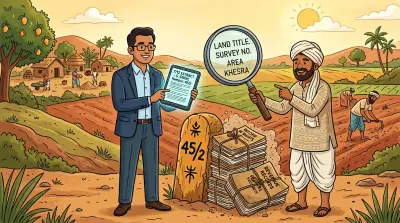
The official lookup works best when you already know the parcel identifier. Gather the registered deed, an earlier Pahani or passbook if available, the survey number and subdivision, and the district, mandal and revenue village. If the property was inherited, keep the relevant succession or legal-heir papers with the deed.
Then follow this sequence:
- Open the official Bhu Bharati portal directly and choose Details of Land under Information Services.
- Select the district, mandal and revenue village from the deed or earlier revenue record. Do not substitute a neighbourhood, postal address or nearby landmark for the revenue village.
- Enter the survey number and subdivision exactly as recorded. A parent survey number can contain several separately recorded subdivisions, so omitting the suffix can lead to the wrong parcel.
- Compare the result with the documents you hold. Check the pattadar name, relation name, survey number, subdivision, extent, land classification and mode of acquisition.
- Save a dated PDF or screenshot of the result, but label it clearly as an online record view from that date.
If you do not know the survey number, Bhu Bharati cannot perform a statewide reverse search from an owner’s name. Start with an old deed, passbook or tax receipt, or use our separate guide to checking a property owner’s name in Telangana. That page owns the name-only search problem; this guide covers checking an identified parcel on the current land-record portal.
That distinction matters. A revenue record can be important evidence, but it is not a substitute for the registered deed or a complete title review. The Supreme Court has repeatedly distinguished a revenue entry from proof that title has passed. If the issue concerns a purchase, inheritance, boundary, assigned-land entry or dispute, obtain legal advice before acting on the portal result.
What if a name, extent or classification looks wrong?
Do not try to diagnose the outcome from a generic blog article. The official Bhu Bharati FAQ specifically recognises practical cases such as:
- a pattadar name recorded wrongly;
- wrong extent, land nature, land classification or manner of acquisition;
- a survey number missing from the portal despite an old passbook;
- a parcel marked as assigned or government land; and
- a name or land detail that needs to be dealt with after inheritance or a court order.
Those cases can have very different evidence and legal consequences. Use the current official FAQ and the applicable live service to identify the route. Keep the deed, prior record, portal screenshot and every acknowledgement together. If the case involves ownership, a court decree, a deceased owner or an assigned-land issue, get a lawyer to review the documents before submitting anything.
Our guide to checking and correcting Bhu Bharati land-record errors explains the evidence worth preserving. Read mutation, khata and patta too, because registration and revenue records do not always update in the same way or at the same time.
When Bhu Bharati is not the whole answer
A familiar mistake is to ask one portal to answer every question. It cannot.
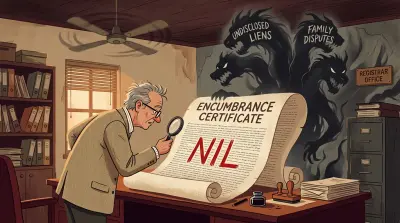
An EC concerns registered entries during a search period. A land record concerns the revenue entry for the parcel. A registered deed is the document that records a particular transaction. A market value is an administrative reference, not a valuation of what a buyer will pay.
For an EC, registered document, registration charge or market-value task, use the corresponding Bhu Bharati information service and read what an Encumbrance Certificate shows and misses before treating the result as reassuring. For a practical service-by-service route, see IGRS Telangana: EC, registration and Bhu Bharati land records.
Checking from outside Telangana or abroad
Bhu Bharati’s FAQ says it has an NRI portal module. That does not mean every task can be completed remotely. A public view may be accessible while a transaction or correction needs registration, CAPTCHA, OTP, a current mobile number, documents, an in-person visit or an authorised representative.
Do not share an OTP with anyone who offers to bypass the process. A Power of Attorney should be reviewed for the particular action you need it to cover. This guide is educational information, not legal or tax advice.
Build the property file before appointing anyone
Remote owners lose time when the representative has a portal login but not the underlying record. Assemble the file before starting a correction, mutation or registration task:
- for agricultural land, keep the registered deed, earlier Pahani or Record of Rights, pattadar passbook, survey and subdivision details, and the latest portal view;
- for a plot, flat or house, keep the registered deed and link documents, current EC, property-tax receipts, sanctioned layout or building plan, and the Occupancy Certificate where applicable;
- for inherited property, add the death certificate, will if any, legal-heir or succession evidence, and the mutation trail; and
- for every open government process, keep the application, payment receipts, notices, replies and final order in date order.
Hyderabad properties also require the correct authority. GHMC, HMDA and a local municipality do different jobs; a land-record entry does not establish layout approval, building permission or municipal tax status. Confirm the property’s jurisdiction and use that authority’s current service rather than treating Bhu Bharati as a universal property portal.
If a representative must act, use a Power of Attorney drafted for the specific job. A broad document obtained for convenience can create unnecessary risk, while an authority that is too narrow may not cover the required filing or appearance. Have the instrument reviewed before signing or registering it.
For rural agricultural land in Andhra Pradesh and Telangana, Assetly can help you review possible record matches by owner or family name when the survey number is unclear. It does not establish legal ownership, retrieve every record or replace Bhu Bharati, the revenue office or professional advice.
Related Reading
- IGRS Telangana: EC, registration and Bhu Bharati land records - choose the right Telangana service.
- How to check and correct Bhu Bharati land-record errors - prepare before raising a discrepancy.
- Section 22A: why Telangana flagged lakhs of private homes as prohibited - how the bulk prohibited-list revision caught genuine homes, and how to object.
- Encumbrance Certificate meaning: what it shows and misses - why an EC does not certify title.
- Land revenue records: 7/12, RTC, Pahani and what they mean - how revenue records differ across India.
- Mutation, khata and patta - why a record can lag behind a transaction.
Assetly helps property owners organise and track their property documents digitally.