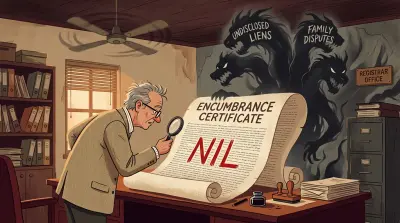


If you searched for “IGRS AP”, first decide which record you actually need. For a registered transaction, an Encumbrance Certificate (EC), a certified copy, a property value or the prohibited-properties service, use the Andhra Pradesh Registration and Stamps Department. For a revenue record such as Adangal, 1-B or an FMB, use MeeBhoomi instead.
The government EC page gives three public search routes: document number and year, an address, or a survey number in a revenue village. District and the registering Sub-Registrar Office (SRO) are required for every route. That is the useful answer before the detail: start with the deed if you have it, and do not interpret a blank online response as proof that the property is clear.
Choose the IGRS AP task you need
| Your task | Go to |
|---|---|
| Search for an Encumbrance Certificate | Start the AP EC workflow |
| Choose between document, survey-number and address search | The three EC search routes |
| Check the government value used for registration | AP market value lookup |
| Check Adangal, 1-B or another revenue record | IGRS AP vs Meebhoomi |
| Fix a blank result, CAPTCHA or mismatched record | Common IGRS AP errors |
The public EC service does not offer an owner-name search. If a name is all you have, first identify the property through a revenue or municipal record, then search the EC by the supported property or document details.
What IGRS AP covers (and what it doesn’t)
IGRS AP is the registration side of property in Andhra Pradesh. The live department site currently links to EC and certified-copy services, an SRO finder, property value, prohibited properties, duty and fee calculation, slot booking and grievance redressal. The services that matter to most owners are:
- Encumbrance Certificate (EC) search. An online e-EC search for transactions after 1 January 1983, subject to the service’s data-availability rules. The public page advises owners to approach the SRO for an earlier period or to confirm a “Data Not Found” response.
- Certified-copy and document services. Use the department’s current EC and certified-copy service routes where you need the appropriate official copy, rather than assuming an information-only search is enough.
- Market value (guideline value). The government’s minimum registered value for a locality, which sets the floor for stamp duty.
- Section 22A prohibited property search. Whether a survey number is on the list that blocks registration, used for government, assigned, or endowment land. Our free Andhra Pradesh prohibited property check reads the IGRS Section 22-A registers and the Meebhoomi dispute list side by side, reporting each source separately.
What IGRS AP does not replace is the revenue record. Your 1-B, Adangal and related land-record functions are on a separate portal, and our AP Adangal and 1-B check starts that lookup from a survey number and revenue village. Mixing the two up is a common reason people search the wrong place and conclude their records are missing.
IGRS AP vs Meebhoomi: which portal for what
Andhra Pradesh splits its property records across two systems, and they answer different questions.
IGRS AP (registration.ap.gov.in) is run by the Registration and Stamps Department. It is the authority on registered transactions: what was bought, sold, mortgaged, or gifted, when, and for how much.
Meebhoomi (meebhoomi.ap.gov.in) is the Revenue Department’s portal for land-record functions such as the 1-B Record of Rights, Adangal (Pahani), e-Passbook, village maps and mutation status. Those records can be important evidence, but they do not by themselves certify legal title.
A quick word on Dharani, because the search results muddy this constantly. Dharani is associated with Telangana, not an Andhra Pradesh property record. If your property sits in AP and a broker or a website points you to Dharani, they are sending you to the wrong state’s system. For AP, use IGRS AP for registration records and MeeBhoomi for revenue records.
| Task | Portal to use |
|---|---|
| Encumbrance certificate | IGRS AP |
| Registered deed / document search | IGRS AP |
| Market value (guideline value) | IGRS AP |
| Section 22A prohibited list | IGRS AP |
| 1-B / Record of Rights | Meebhoomi |
| Adangal / Pahani | Meebhoomi |
| e-Passbook | Meebhoomi |
| Mutation status | Meebhoomi |
For a fuller account of the revenue side, including how to read your 1-B and what the bifurcation did to old records, our guide to managing AP property as an NRI covers Meebhoomi in depth. If you keep mixing up the two Meebhoomi records, our explainer on Adangal vs ROR 1-B separates the revenue-entry and cultivation questions, and our guide to Aadhaar seeding of AP land records covers how to tie your verified identity to the Meebhoomi record. The rest of this piece stays on IGRS AP.
How to search for an EC on IGRS AP, step by step
Open EC & CC Service from the official Registration and Stamps Department site, then select EC for Information Only for the public search. The current service says online e-EC is available for transactions after 1 January 1983. For an earlier period, or where you need an ink-signed EC, it directs the user to the relevant SRO.
- Select the EC search route. Choose document number and year, address, or a revenue-village survey number with an optional plot number.
- Select district and SRO. The live service makes both mandatory. Use the registering SRO shown on your deed wherever possible.
- Enter the description exactly. For an address, use the standard ward, block and door-number format suggested by the portal. For a survey search, use the revenue village and the survey number as recorded in the document.
- Complete the CAPTCHA and review every possible match. The official page warns that legacy descriptions are not always structured or standardised, so a probabilistic search can show multiple entries. Select only the entry you can link to your property.
- Escalate a non-result sensibly. The service explicitly says to confirm “Data Not Found” with the SRO. A non-result is not a title opinion.
The three ways to search, and when to use each
By document number and year
Use this when you have the registered deed details. The live e-EC screen presents separate document-number and registration-year fields, as well as the mandatory SRO. This is usually the clearest route because it starts from a document already tied to the property.
By survey number
Use the revenue-village route when the survey number is the detail you can substantiate. The official screen describes this as a survey number in a revenue village, with an optional plot number. Match it against the registered deed, not a name alone.
By address
Use the address route when the document number is unavailable. The government page supports a house number, old house number or apartment name in a city, town or village, with optional flat number and locality. It suggests the standard Ward - Block - Door Number format for a house number. Confirm any possible result against the deed, survey number and parties.
There is no fourth way: you cannot search an EC by name
This is the most common wrong assumption about IGRS AP, and it is worth stating plainly. The public e-EC service has three routes, and none of them is a name. There is no field for the owner, the seller, the buyer, the executant or the claimant. District and Sub-Registrar Office are mandatory whichever route you pick.
That is a design decision, not a gap someone forgot to fill. An EC is a statement about a described property over a search period, so the department indexes it by the property and the document, not by the person. A name-based search across every parcel in a district would be a different service entirely, and no state registration portal offers one to the public.
The practical consequence: if all you have is a name, an EC is the wrong starting point. Establish the property first, using a revenue record or a municipal tax record, then run the EC against the survey or door number you recover. Our guide to checking a property owner’s name in Telangana walks through that sequence, and the same logic applies in Andhra Pradesh through Meebhoomi. For rural agricultural land, Assetly’s owner-name land search runs the two steps together: it lists possible pattadar matches for the name, and when you save the parcel you recognise, it fetches the EC against that survey number where the village is covered. A name match is still a lead to verify, not proof of ownership.
Checking market value (guideline value)
The live department site links separately to Property Value and MV Assistance. Andhra Pradesh calls the government’s registration benchmark a market value, but it is not an estimate of what a buyer will pay. It is the official rate used as a reference for registration and stamp-duty calculations.
How to check AP market value by location
- Open the Property Value or MV Assistance route from the official IGRS AP portal.
- Select the current district, mandal and village or portal location. Use the registration hierarchy rather than relying only on a postal address.
- Choose the relevant land or property category. Agricultural land and open plots can carry different units and rates in the same area.
- Check the effective period and preserve the result with the date. Values can change, and an old screenshot is not a safe basis for a new transaction.
- Confirm the exact locality, classification and applicable rate with the SRO before calculating duty or signing an agreement.
A survey number helps you identify the correct parcel and revenue village, but the value lookup is organised around the government’s location and property categories. It does not produce a personalised valuation for the parcel. If a search for “market value by survey number” leads you to a rate, still check that the village and category match the deed.
The Andhra Pradesh Guidance Value Explorer presents the published rates by district, mandal and village, with separate agricultural and open-plot views. Use the portal-native lookup or the SRO for the final transaction figure. For the difference between a government rate and a sale price, read guidance value, circle rate and market value explained. For duty calculations, see our Andhra Pradesh stamp duty guide.
Common IGRS AP errors and how to fix them
No records found when you expect them. Recheck the district, registering SRO and the document, address or survey description against the deed. The official service says to approach the relevant SRO to confirm “Data Not Found”. It also says its online e-EC begins after 1 January 1983, so do not expect the public search to settle an earlier period.
CAPTCHA blocks the search. Refresh the code or return to the official service later. Do not give an OTP or CAPTCHA response to a third party claiming it can retrieve a record for you.
Several results appear. The official page warns that legacy property descriptions are not always standardised and that searches can return multiple possible entries. Match a result to the deed, survey number or address before treating it as relevant.
Document details do not match. Preserve the screen, the date and the deed details you used. Ask the relevant SRO how to proceed, especially where the property is part of a purchase, inheritance, loan or dispute.
You landed on a site that is not registration.ap.gov.in. Return to the official Registration and Stamps Department domain before entering property or identity details. Use the current department links for EC, certified copies and property value rather than a copied form or a look-alike domain.
A note for NRIs and remote owners
The public e-EC page says citizens can search from anywhere on a 24/7 basis, but availability and the next step depend on the service. An information-only online search is not necessarily an ink-signed EC or a certified copy. A task may require a CAPTCHA, registration details, a current mobile number, a login, supporting documents or an SRO visit. If a transaction, title issue or legal claim is involved, obtain professional advice rather than relying on a portal result alone.
For the deeper walkthrough of reading an EC and ordering a certified physical copy, our EC online guide covers the document itself in detail.
For rural agricultural land in Andhra Pradesh and Telangana, Assetly can help you review possible record matches by owner or family name when the survey number is unclear. It does not establish legal ownership, retrieve every record or replace the official portal, SRO or professional advice.
Related Reading
- Managing property in Andhra Pradesh - the wider AP record and ownership checklist.
- Adangal vs ROR 1-B - the revenue-record side of AP property.
- Encumbrance Certificate meaning: what it shows and misses - the limits of an EC.
- How to get an Encumbrance Certificate online - how to interpret the certificate once you have it.
- IGRS Telangana and Bhu Bharati - the corresponding Telangana portal guide.
Assetly helps property owners organise and track their property documents digitally.