

If you searched for “MeeBhoomi Telangana”, you are probably not looking for a history lesson. You want to know where to check a Telangana land record and which government screen will answer your question.
The short answer is this: for Telangana agricultural-land records, start with Bhu Bharati. It is the Government of Telangana’s current integrated land-record portal. It is not a one-for-one copy of Andhra Pradesh’s MeeBhoomi, so looking for a familiar label can send you to the wrong function.
If your question is about a registered sale deed, a document number, an Encumbrance Certificate (EC), registration charges or a Sub-Registrar Office, use the registration functions currently presented through the Telangana government’s portal. If it is about the agricultural record itself, such as land status, Pahani, pattadar details or a correction, start with the Bhu Bharati land-record side.
That distinction matters. A portal result can be useful evidence. It is not a title certificate.
Checked against the Telangana government portal on 27 July 2026. Portal labels, login requirements and availability can change.
The Telangana equivalent of MeeBhoomi, in plain English
MeeBhoomi is Andhra Pradesh’s revenue-record portal. Telangana’s equivalent task is now handled through Bhu Bharati, established under the Telangana Bhu Bharati (Record of Rights in Land) Act, 2025.
The useful comparison is not portal name versus portal name. It is task versus task:
| If you need to… | Start with | What to verify before you rely on it |
|---|---|---|
| Check agricultural land status, Pahani or related revenue-record details | Bhu Bharati land-record functions | Survey number, village, extent, pattadar/holder name and land classification |
| Check a registered document by number and year | Registered-document function | Document number, year, district and the relevant office |
| Search for registered encumbrance entries | Encumbrance Fetch (EC) | Correct property identifier, search period and property description |
| Check the government’s basic rate or registration charges | Market Value / registration-charge functions | Location, property category and the date of the rate |
| Correct an error or follow an application | The relevant Bhu Bharati citizen service | Whether the case needs login, OTP, documents, a hearing or an official order |
The official portal currently exposes land-status, Pahani, registered-document, EC, basic-rate and registration-charge functions. That does not mean every property or every historical record will appear online. It means you can begin with the right government route instead of guessing.
IGRS Telangana EC and registered document search
An EC search and a registered-deed search are related, but they are not the same job. Use the strongest identifier you already possess.
| Search task | Best starting details | Important limitation |
|---|---|---|
| Registered deed details | Document number, registration year, district and the office printed on the deed | It finds the indexed document, not every fact affecting title |
| EC by property details | Survey or plot identifier, subdivision, village, office and search period | A wrong identifier or narrow period can produce a misleading nil result |
| Search by party or owner name | Full name, spelling variants, relation name, village and approximate year | Names are not unique and the result must be tied back to the parcel |
| Search when the SRO is unknown | Deed schedule, district, mandal, village and an older linked document | Office boundaries and names can change, so confirm jurisdiction before paying |
Keep the document number and year as separate fields. A document numbered 1234 in 2024 is not the same record as document 1234 in 2025. For an EC, choose a period long enough for the due-diligence question you are answering and compare the result with the known link deeds.
Can you search Telangana property records by owner name?
Yes, an owner-name search can be a useful discovery step when the survey number is missing. It is not a title search by itself. Transliteration, initials, relation names and repeated family names can all create false matches.
Use our Telangana owner-name search guide to narrow possible records. Then confirm the district, mandal, village, survey number, subdivision, extent and relation name against a registered deed or another reliable family document. If those fields do not line up, do not treat the result as your property.
Start with the question, not the portal
Property owners often use “record” to mean several different things. Each answers a different question.
”Who is shown in the agricultural record?”
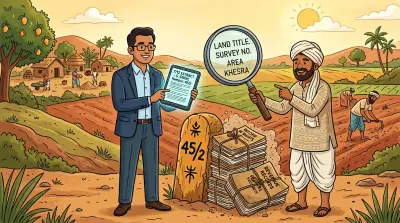
Start with Bhu Bharati’s land-status or Pahani function. Check the exact survey number, subdivision, village, extent and the name shown. If you are comparing a family record, check relation details and earlier copies too.
This is the closest Telangana task to checking a MeeBhoomi Adangal or ROR-style entry. It is especially useful after inheritance, a purchase, a partition or a correction request.
But keep the legal boundary clear: a revenue record is not the same thing as a registered title deed. Our guide to Pahani, RTC and other revenue records explains why both records matter.
”Was a document registered, or what does the registered history show?”
Use the registered-document function if you have the document number and year. The live Telangana portal asks for a document number/year, district and the relevant Tahsildar and Joint Registrar office.
Use the details from the deed itself where possible. A number that looks similar, a different year or the wrong office can return a result for another document or no result at all. Save the result with the date you checked it and compare the parties, property description and registration details with your deed.
”Do I need an EC?”
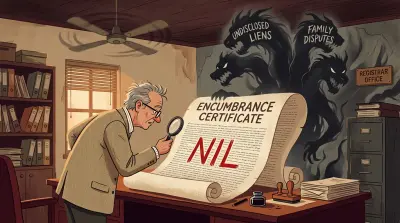
An EC is a search of registered entries for a chosen period. It can help you spot registered sales, mortgages, releases or other entries that the record contains. It cannot tell you that the title is clean.
Before you search, gather the best identifiers you have: the survey or plot number, document number/year, location, relevant office and a sensible date range. Check the returned property description, not just the word “nil” or the presence of a PDF. A blank or nil result may reflect the search inputs or the period searched, not the absence of every possible claim.
For the limits of an EC, including unregistered claims and other gaps it cannot settle, read what an Encumbrance Certificate shows and misses.
”Can I search a Telangana EC by name?”
No, and it is worth being direct about it because the assumption is common. The department’s own Encumbrance Certificate page sets out exactly three routes: “Document Number and Year of Document”, a “House Number or Old House Number or Apartment name situated in a City/ Town/Village with optional Flat Number and Colony/Locality/Habitation”, or a “Survey number in a Revenue Village and optionally described by a Plot number”. It adds that “District and SRO office selection is mandatory under all options”.
There is no field for an owner, party, executant or claimant name. An EC describes a property over a period, so it is indexed by the property and the document rather than by the person. The same page notes that “Online EC is available for transaction post 01-01-1983 only”, and that where the system responds “Data Not Found”, you should “approach SRO concern” for confirmation rather than read it as a clean result.
So if a name is all you have, the EC is the wrong first step. Identify the parcel or the door number first, then search. Our guide to checking a property or house owner’s name in Telangana covers the routes that do start from a name and what each one actually proves.
”What is the government value for registration?”
Use the official basic-rate or market-value function for the government’s registration value. That figure can affect stamp duty and registration calculations. It is not the same as an independent market valuation, the price a buyer will pay, or evidence that a property has clear title.
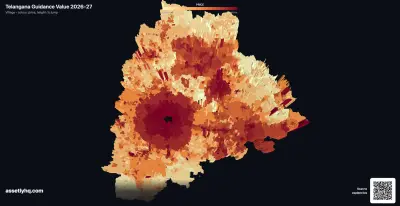
Telangana’s values can be revised. Check the date and category used for your location rather than relying on a screenshot someone sent months ago. Our 2026-27 Telangana guidance-value analysis explains why the government figure and a market price can diverge.
A five-minute preparation checklist
Do this before opening any property portal:
- Take out the latest registered deed. Note the document number, year, district, office, survey or plot number and property description exactly as written.
- Keep an older revenue copy beside it. A previous Pahani, passbook or dated portal download makes it easier to spot a changed name, extent or classification.
- Write down the exact location hierarchy. District, mandal, village and survey number are not interchangeable. A familiar locality name may not be the official village name.
- Decide what answer you need. Land status, registered document, EC, basic rate and correction status are separate jobs.
- Save the result with its date. A portal display is a snapshot. Preserve the PDF or screenshot, the inputs used and the date of the search.
This preparation is more useful than repeatedly retrying a search with slightly different spellings.
When a portal answer is not enough
Stop and get a qualified local lawyer’s advice before treating a portal result as decisive if:
- the deed and revenue record name different people;
- the survey number, extent or classification differs from your documents;
- an inheritance, partition, gift or court case affects the property;
- an EC result does not match a known transaction; or
- a correction, grievance or application status suggests an unresolved government process.
If the land record itself looks wrong, start by preserving the live result and your supporting documents. Then read how to check and correct Telangana land-record errors. The available route can depend on the type of error, the land and the current rules. Do not assume that a correction request is automatic, approved or available for every case.
For owners outside Telangana
You can prepare and review public record information from abroad, but a particular service may still require a CAPTCHA, mobile OTP, citizen login, original documents, an authorised representative or a visit to an office. Do not share an OTP with an agent who cannot explain the exact government step it is for.
If you are checking family agricultural land and do not know the survey number, start by narrowing the official village, name spelling and relation name. That is safer than assuming that any similar name belongs to your family. Assetly’s rural agricultural-land search can help you review possible Andhra Pradesh and Telangana matches by owner or family name, village, relation, survey number and extent. It does not determine legal ownership or replace the government process.
Related Reading
- Dharani to Bhu Bharati: what changed for property owners - the background to the Telangana transition.
- How to check and correct Bhu Bharati land-record errors - what to compare and what to preserve when a record is wrong.
- Encumbrance Certificate meaning: what it shows and misses - why an EC is useful but cannot certify title.
- Land revenue records: Pahani, RTC and 7/12 explained - the difference between a revenue entry and a title document.
- Telangana guidance value 2026-27 - how to interpret a government rate before a transaction.
Assetly helps property owners organise and track their property documents digitally. For rural agricultural land in Andhra Pradesh and Telangana, it can help you review possible record matches when the survey number is unclear.