

Step 1: Create your account & log in
Sign up with your name, email, and phone number.
Verify your email/OTP.
Once logged in, you’ll land on your Ownership Ledger.
What you get: A dashboard where all your properties and records will live.
Step 2: Add your property to the Ownership Ledger
Click Add Property / Add Asset
Select the property type (Agricultural / Non-Agricultural Plot / Residential / Commercial)
Enter the basic identifiers:
- Location (state/district/mandal/locality)
- Survey number / Flat number (if known)
- Relevant document (if available)
If you don’t know the survey number, you can still proceed and add it later.
What you get: A structured property profile inside your Ledger.
Step 3: Upload documents you already have
Inside the property page, go to Documents:
Upload what you already have (even just one document is enough to start), such as:
- Sale deed copy
- EC copy
- Pattadar passbook / ROR / Adangal (for land)
- Property tax receipts
- Utility bills (electricity/water)
Each uploaded document is saved under that property.
What you get: A centralised digital document vault for that asset.
Step 4: Identify what’s missing
Once documents are uploaded, Assetly helps you see what’s missing based on:
- Asset type (agri/plot/res/commercial)
- Location/state process requirements (where applicable)
You’ll be able to view:
- Documents already uploaded
- Documents missing
- Documents recommended (optional)
What you get: A clear checklist of gaps to complete your ownership file.
Step 5: Order missing records through Assetly
If a document is missing, you can request it directly.
- Next to the missing record, click Order / Request Document
- Confirm the property and record type
- Complete payment (if applicable)
- Assetly team will email you for any required details (if needed)
- The request status will be visible in your property dashboard
Examples of records you can request:
- Certified sale deed copies
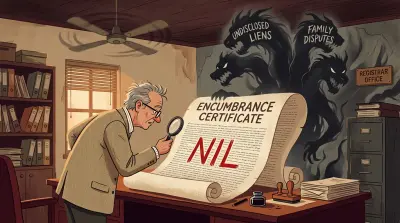
- Encumbrance Certificates
- Revenue records (ROR/Adangal/Passbook)
- Link document sets
- Duplicate certified copies
What you get: Official records procured and attached back to your asset.
Step 6: Order services linked to your property
From the property page, open the Services section.
You can request services such as:
- Survey and boundary verification
- Legal title report (lawyer review)
- Mutation initiation
- Name correction / record updates
- Land conversion assistance (where applicable)
How it works:
- Select service → confirm scope
- Review time + pricing
- Pay (if applicable)
- Assetly team follows up for details and documentation
- Status is tracked under your asset
What you get: Service execution tied to the exact asset (no mix-ups).
Step 7: Track requests and status updates
Each property maintains a history of:
- Uploaded documents
- Requested documents
- Service orders
- Status updates and deliverables
This gives you a complete audit trail per asset.
Step 8: Keep your ownership file updated
Whenever you receive new documents, renewals, tax receipts, or agreements:
- Upload them to the same asset
- Keep your ownership file current
This keeps your property ready for future actions like sale, lease, or transfer.